
Searching Cases by Name
When you know a party's name, use the Search by Party form. It wants a last name and first name, no suffix, with at least two letters. Company names work too. If a name is common or the results look too narrow, try spelling variations. The Associated Party form follows the same convention but searches the related-party field instead.
Pick the Court Code before the Court Division. In the selector, ST means State. SU means Superior. MG means Magistrate, and NP means Notary Publics. The division list changes once you choose a court. Filing date and an Active or Inactive status are optional filters. A broad name query can hit the portal's result limit. Narrow it by court, division, date, or status.
- Open Party or Associated Party search and enter last name first name.
- Select a court code, then choose its dynamic division.
- Use filing dates only when the time span helps isolate the case.
- Choose Active, Inactive, or All only when that status question matters.
- Open the case view and save the case number before moving to document access.
Dougherty County Case Search Fields
The local forms offer more detail than a simple name box. Party and Associated Party share the same court and division filters, plus date and status controls. The buttons read Search (F8) and Clear (F5). The table reflects the fields the official forms expose and the limits the county describes.
| Form field | Type | Required | Local format or option |
|---|---|---|---|
| Party Name | Text | Yes | Last name first name, no suffix, minimum two letters |
| Associated Party Name | Text | Yes | Same last-first convention for a related party |
| Court Code | Dropdown | No | ST, SU, MG, or NP |
| Court Division | Dynamic dropdown | No | Populates after court selection |
| Filing Date From/To | Date | No | MM/DD/YYYY; no published span limit |
| Case Status | Dropdown | No | Blank or All, ACTIVE, INACTIVE |
This link opens the official Associated Party form. It shows the related-party route, which treats a name differently than a primary party search.
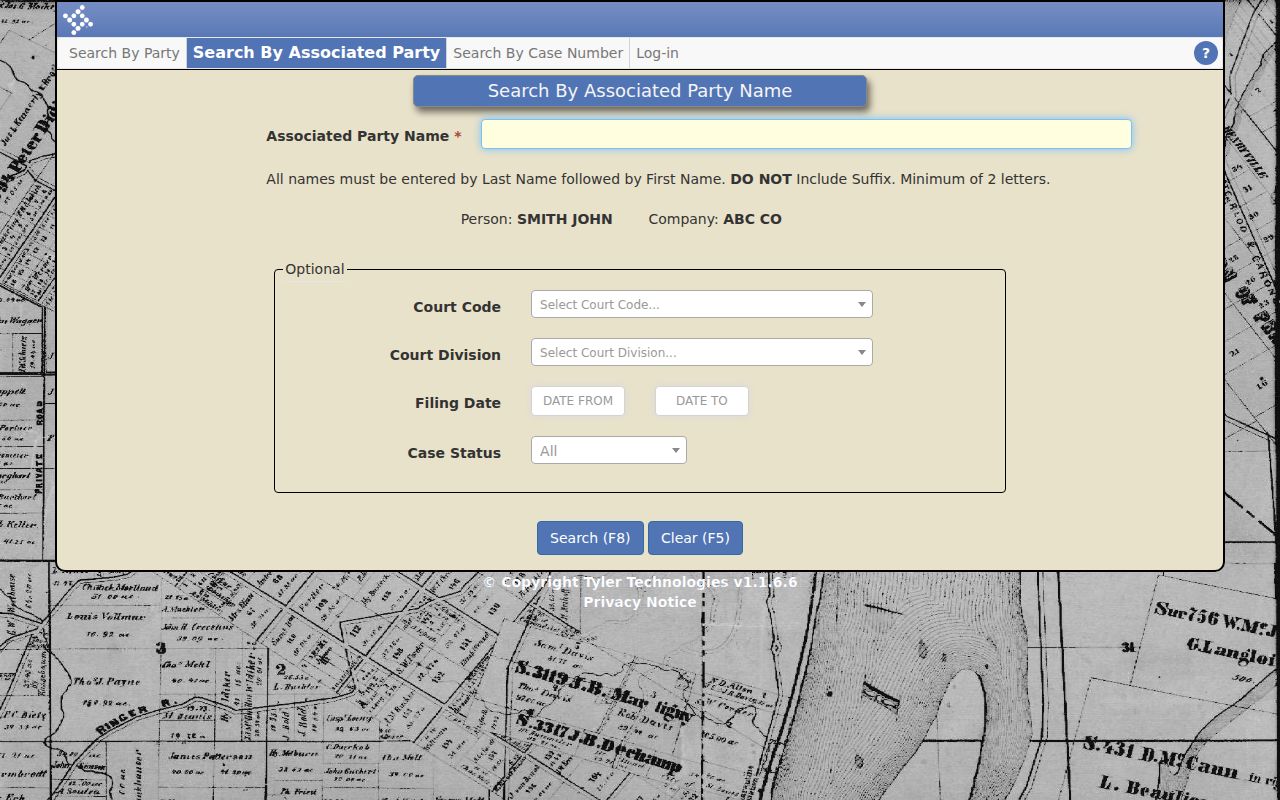
Use the role shown in the case view before describing what the result means.
Searching by Case Number
Case Number search is the cleaner route. Use it when you know the court prefix and the numeric sequence. The form requires a four-digit year and a numeric Case Number. It pads the number to six digits. Court Code and Court Division still help as filters. Case Type can be blank, CR Criminal, or CV Civil. Case Status can be All, ACTIVE, or INACTIVE.
The construction is court code plus division, a four-digit year, and a six-digit number. Format examples include STSWYYYY###### for a State misdemeanor-warrant style. SUCVYYYY###### is the Superior civil style. These show the pattern only; they are not real identifiers. Enter just the numeric year and sequence in the fields the form asks for.
Dougherty County Case Number Search
The pattern shows why court and division matter. ST and SU mark State and Superior. SW, R, CV, and other division codes narrow the family. The year splits filing periods, and the six-digit sequence is the local number. A bare number without court context can still be ambiguous when a related case or a transfer exists.
This link opens the official Case Number search form. It shows the court, division, year, number, case type, status, Search, and Clear controls.
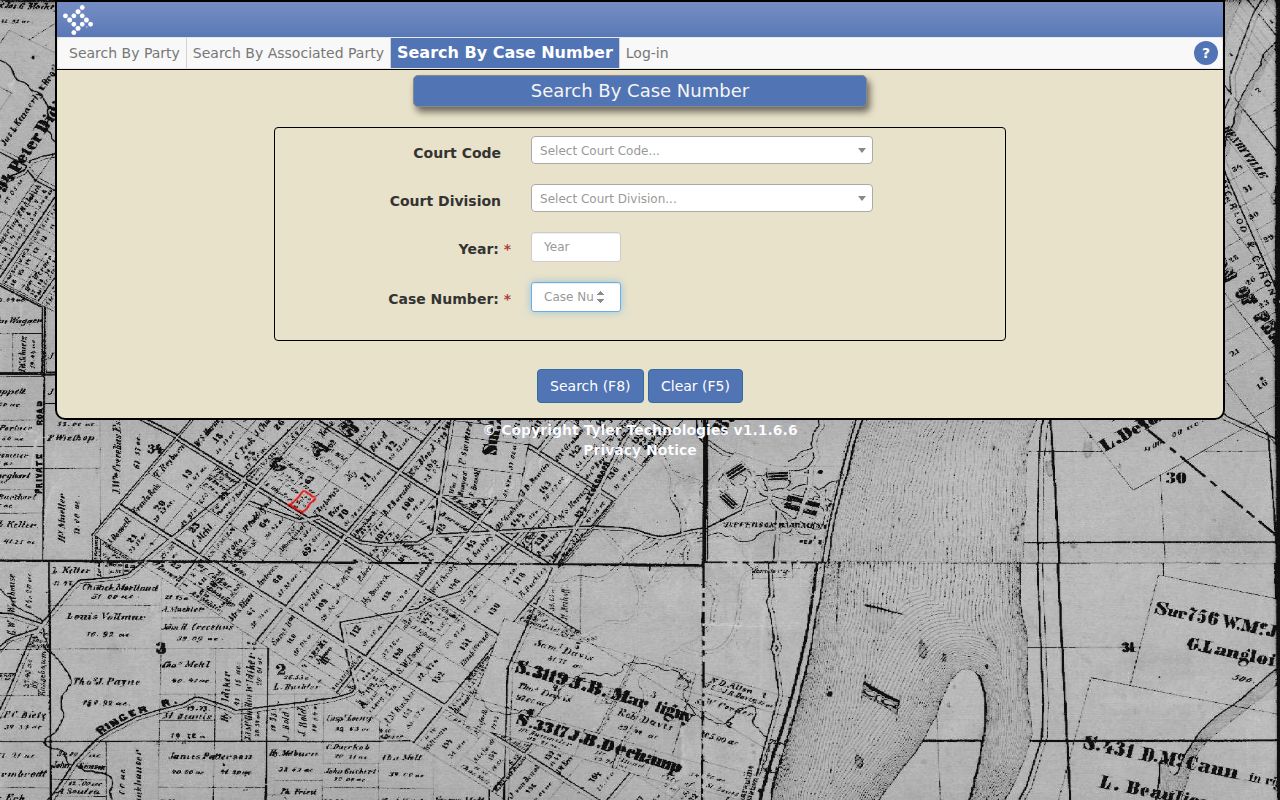
If the case number gets rejected, check the year, numeric sequence, court code, and division. Leave the unrelated name fields alone.
What a Case Search Returns
The public case view opens with an overview and tabs. The overview lists fields such as Case Number, Active, Judge, Filing Date, Filling Time, Close Date, and Remarks. Tabs include Parties, Associated Parties, Offenses, and Proceedings. Offenses supplies statute and count fields in a criminal matter. In a civil case, Parties, Proceedings, Remarks, and the View controls do more work.
Proceedings is the chronological event layer. It can list code, description, filing date, party, offense, comments, and View. A View control may lead to an image. But not every file is public, free, complete, or certified. Find the event in the case search first. Then use PeachCourt or the Clerk for the actual document.
| Overview | Case number, status, judge, filing date, time, close date, and remarks. |
|---|---|
| Parties | Primary names and local party codes or role fields. |
| Associated Parties | Related names and codes separate from the main party table. |
| Offenses | Criminal offense, statute, reduced statute, count, and related fields. |
| Proceedings | Event code, description, filing date, comments, and possible View link. |
Dougherty County Case Search Results
Read the header first, then the party role, then Proceedings in date order. The latest event is often the best clue to where a case stands. It is not always the whole answer, though. A calendar entry is a setting. A motion entry is a request. An order or judgment is the court's signed action. "Active" is only a portal status. A blank Close Date does not prove the case has no later paper record.
The portal may say "Please narrow your search results and try again" when the results reach their maximum length. It can also report an error during a party or case-number search. It will tell you to refresh. Narrow the search and write down the filters you used. Then call the Clerk at 229-431-2198.
- Proceedings
- The local event list closest to a chronological docket.
- Remarks
- Overview notes that may show transfer or related-case clues.
- View
- A document control whose access can change by record and requester.
- Inactive
- A filter status, not a plain-language disposition.
Statewide vs County Case Search
Georgia offers no single statewide public docket result search. Georgia Courts E-Access is a directory of individual providers. Dougherty's Tyler system is the main county search for Superior and State records, but other custodians take different routes. That split affects both search coverage and which office can certify a record.
| Layer | What it can cover | Limit or next step |
|---|---|---|
| Dougherty Tyler | Superior and State civil, criminal, warrant, traffic, and related divisions | Not a universal county or Georgia database; documents may require PeachCourt or Clerk |
| Georgia Courts E-Access | Directory and provider routing | Redirects to an individual court or vendor rather than returning all results |
| Probate or Juvenile | Estates, guardianship, commitments, and confidential juvenile categories | Separate systems; Juvenile access is authorized rather than general public search |
| Albany Municipal | City ordinances, municipal misdemeanors, and city traffic | Courtware and city records path, separate from Tyler |
| Federal | Middle District civil, criminal, and bankruptcy | PACER/CM-ECF and federal clerk |
Dougherty County Case Search Documents
Start with the Tyler index. It's free and open to anyone, and it will tell you whether a case exists. For the papers themselves, Dougherty County uses PeachCourt. It is the e-filing and document provider for the Clerk. Its fee rules are generous. Case parties download criminal documents at no cost, and non-parties pay the paper-copy rate. You will need an account, though. Registering is free, but registration alone does not unlock every document for every requester.
The PeachCourt access page shows that account layer and what it requires before a document request goes through. Some items still will not appear to you. Sealed files, archived files, non-digitized files, juvenile matters, and cases held by another court all call for the Clerk who holds the record. Skip the repeated login attempts.
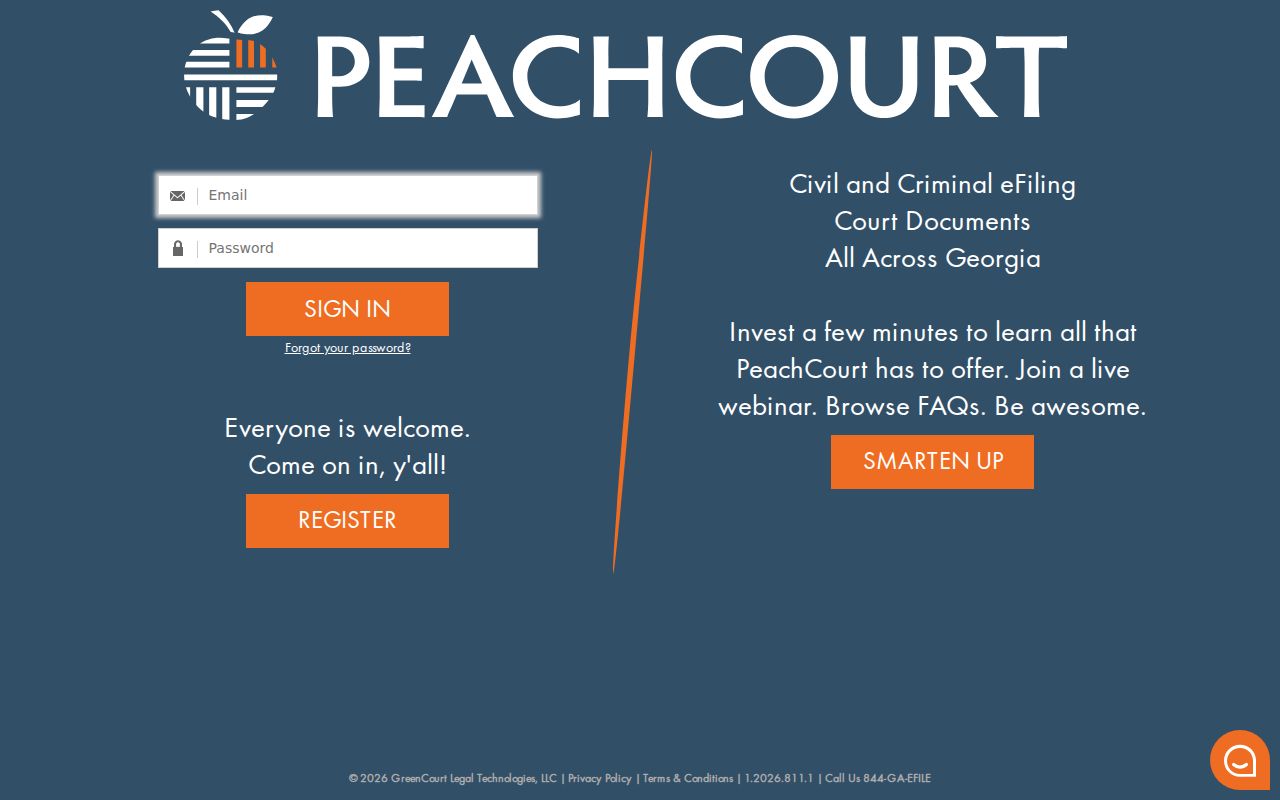
Carry your case number and the exact proceeding description with you when you move from the index to document access.
Access and Restricted Cases
A missing result can mean many things. Check the spelling first, then the court code, division, case number, and status. The case may also sit in a different court entirely: Probate, Juvenile, Albany Municipal, Magistrate, or federal court. Juvenile delinquency and dependency records carry restricted access. Search-warrant material, sealed pleadings, in-camera evidence, and protected identifiers may be masked or missing altogether. Even with a public case number, the View button does not promise access to every filing behind it.
Uniform Superior Court Rule 21 sets out the Superior Court presumption of public access. Rules 21.1 through 21.6 cover restriction and protected data. The Georgia Open Records Act, O.C.G.A. § 50-18-70 et seq., works alongside the Clerk's process. It does not replace that process.
Search limit: Do not bypass a seal or restriction. Ask the issuing court or Clerk whether the record is restricted, archived, not digitized, or held by another custodian.
Dougherty Case Search Fallbacks
Use the chain that fits the court: Tyler search → case view → Proceedings and calendar → PeachCourt where available → Clerk at Suite 126 → narrow mail, email, or fax request after confirming fees. Probate records use the Probate Court route and 229-431-2102. Albany Municipal Court uses Courtware and 229-431-2865. Federal records use PACER and the federal clerk at 229-430-8432. A search starts with the local custodian because there is no single statewide result database.
Before you call the Clerk, write a few things down. Note the case number, court code, division, party role, latest event, document name, and date. That detail helps the Clerk act fast. The Clerk can tell you whether the item is online, on paper, restricted, archived, or held somewhere else. It also prevents a mix-up. A simple case lookup stays distinct from a request for a certified court record.
Treat the Dougherty County search as a first pass through a local index. A docket search can locate a case and lay out its event trail. It cannot open a restricted file or certify a document behind a View link. Sometimes the question runs deeper. If you need a current hearing, a final order, or an exact filing, take the search result to the responsible court or Clerk and ask there.